
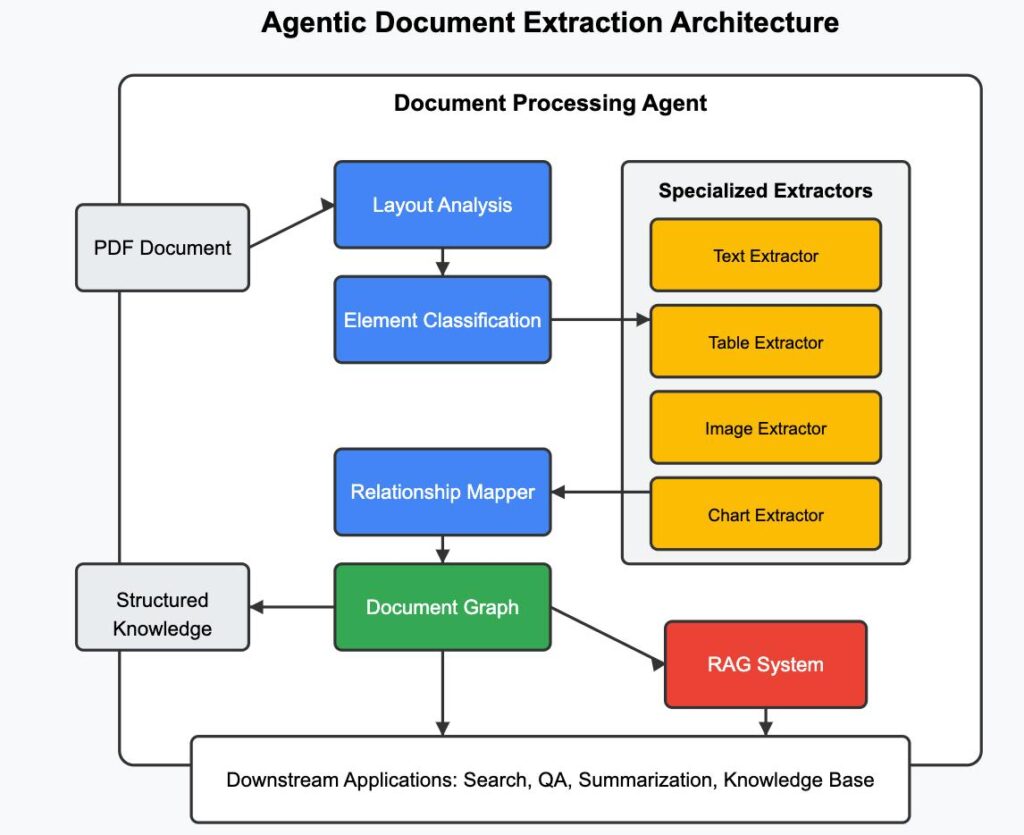
The majority of RAG systems nowadays are not complete, they read the text but not the images, which actually describe the information. When your system is not able to retrieve diagrams, charts, and images of documents, it lacks half the knowledge.
This is one of the most prevalent gaps according to the experience of building several LLM applications. The developers specialize in embeddings and retrieval but forget that documents in the real world are not made out of paragraphs. They are a combination of text, images and, organized information.
In this article we extend past a basic RAG and create a Multimodal RAG system that enables users to upload a PDF and retrieve both:
- relevant textual answers
- linked pictures in the document.
- That is the way the system of document intelligence in modern times is actually designed.
What is RAG and why is it important?
Retrieval-Augmented Generation (RAG) is a method that enhances the performance of language models by tying them to external sources of data. The model does not just use initially trained knowledge to formulate more correct answers; it retrieves relevant information at execution and uses it to generate more accurate answers.
Fundamentally, RAG is a solution to a root issue of large language models: they are not dynamic. They are only asked questions about new areas that they do not know about and might give incorrect or outdated information. RAG counters this by adding a recovery step prior to generation.
When a user poses a query, the system will first look into a database of documents to locate relevant information. This context recovered is then forwarded to the language model which uses this information to generate a response. Consequently, this causes the solution to be based on real data as opposed to the model itself being based on internal knowledge.
What is the operation of a typical RAG system?
A regular RAG pipeline is a simple series of actions. At the first step, documents are divided into smaller pieces and transformed into embeddings. These embeddings are stored in some form of a vector database like FAISS.
On receiving a query, a conversion into an embedding is also done. The system then performs a similarity search to find the most relevant chunks. The context of these chunks is then forwarded to the language model, which produces the final answer.
It is effective when dealing with text-based knowledge and it is supported by the assumption that all the important information is stored in a text form. This is not the case with most documents in the real world.
Why conventional RAG systems do not work with PDFs.
Diagrams, charts, and pictures containing important information are often present in PDFs. A typical RAG system only takes text and does not consider these visual items. This results in partial responses.
As an example a research paper can present a model in part text and in part a diagram. When the system only retrieves the text, the explanation is not complete, rather it is fragmented. The missing visual context reduces the usefulness of the response.
This is where multimodal RAG will be needed. We do not consider images as noise, but as constituent of the knowledge itself.
So what is Multimodal RAG?
Multimodal RAG is a continuation of the traditional pipeline, which takes into consideration various data types, including text and images. The system does not discard visual content, instead isolating and storing it when ingested.
In this method, the text and the image are stored together. When a query is being processed, both the corresponding text and accompanying images are retrieved by the system. The last answer is the combination of both of them that give a more detailed and fuller answer.
This change is significant in the sense that it will bring the system in line with human way of consuming information. We seldom read solely, images tend to be very important in comprehending.
System Architecture: How it all fits together:
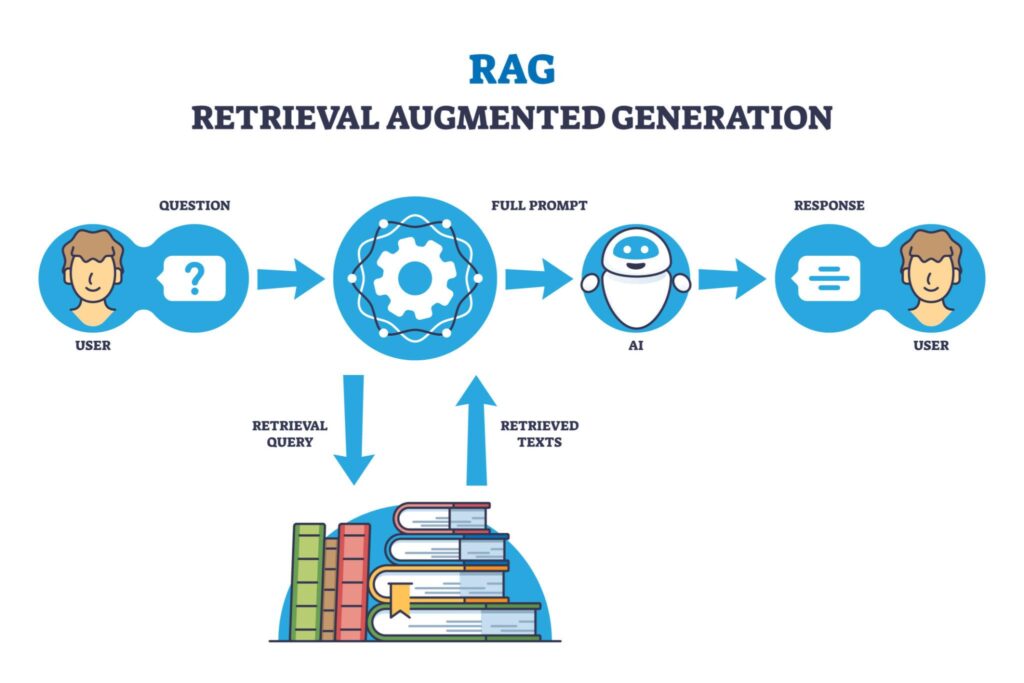
The system is divided into two main stages: ingestion and retrieval.
When ingesting, the uploaded PDF is read page by page. The text is captured, the images are stored and both are connected with each other. The text is then broken into smaller parts and each part inherits the images of the page where it originated. These fragments are translated into embeddings and put into a vector database.
In the retrieval process, the user query is incorporated and is utilized to the database. The system recalls the most significant chunks and the images that are linked to them. The language model then produces a response based on the text that has been retrieved and the system will produce a response, as well as the images.
Step-by-Step Implementation
At this point we will develop the system step by step. Every section of the pipeline has its purpose and knowing the reason as to why we are doing one thing is as important as the code itself.
Setting up the environment
We first install the required libraries. These include tools for embeddings, vector search, PDF parsing, and image handling.
!pip install -q groq sentence-transformers faiss-cpu pymupdf pillow
Here:
- Groq → used for fast LLM inference
- Sentence Transformers → converts text into embeddings
- FAISS → vector database for retrieval
- PyMuPDF → extracts text and images from PDFs
Pillow → handles image display
Configuring the API
We securely set the Groq API key so the model can be accessed during runtime.
import os
from getpass import getpass
os.environ["GROQ_API_KEY"] = getpass("Enter Groq API Key: ")
Using getpass() ensures the key is not visible in the notebook.
Uploading a document
Instead of hardcoding a file, we allow users to upload their own PDF. This makes the system dynamic and usable in real-world scenarios.
from google.colab import files
print("Please upload your PDF document (it can contain both text and images):")
uploaded = files.upload()
pdf_path = list(uploaded.keys())[0]
print(f"Uploaded file: {pdf_path}")
This step allows the system to work with any document provided by the user.
Extracting text and images from the PDF
This is one of the most important parts of the pipeline. We extract both text and images while preserving their relationship at the page level.
import fitz
def extract_pdf_content(pdf_path):
   doc = fitz.open(pdf_path)
   data = []
   for page_num, page in enumerate(doc):
       text = page.get_text()
       image_list = page.get_images(full=True)
       image_paths = []
       for img_index, img in enumerate(image_list):
           xref = img[0]
           base_image = doc.extract_image(xref)
           image_bytes = base_image["image"]
           img_name = f"page_{page_num}_{img_index}.png"
           with open(img_name, "wb") as f:
               f.write(image_bytes)
           image_paths.append(img_name)
       data.append({
           "text": text,
           "images": image_paths
       })
   return data
Here, each page is processed individually.
We store:
- the extracted text
- all images from that page
This ensures that we can later retrieve both together.
Splitting text into chunks
Large blocks of text are not ideal for retrieval. We split them into smaller chunks so the system can find more precise matches.
def chunk_text(text, chunk_size=300):
   words = text.split()
   chunks = []
   for i in range(0, len(words), chunk_size):
       chunk = " ".join(words[i:i+chunk_size])
       chunks.append(chunk)
   return chunks
Chunking improves both:
- retrieval accuracy
- performance
Cting multimoreadal chunks
Now we combine everything. Each text chunk inherits the images from its source page.
processed_docs = []
for doc in extract_pdf_content(pdf_path):
   chunks = chunk_text(doc["text"])
   for chunk in chunks:
       processed_docs.append({
           "text": chunk,
           "images": doc["images"]
       })
This is the core idea of multimodal RAG:
text + image relationship is preserved
Creating embeddings
We convert each text chunk into a numerical representation using an embedding model.
from sentence_transformers import SentenceTransformer
import faiss
import numpy as np
embedding_model = SentenceTransformer("all-MiniLM-L6-v2")
texts = [d["text"] for d in processed_docs]
embeddings = embedding_model.encode(texts)
Embeddings allow us to compare meaning instead of exact words.
Storing embeddings in FAISS
We store embeddings in a vector database for fast similarity search.
index = faiss.IndexFlatL2(embeddings.shape[1])
index.add(np.array(embeddings))
FAISS enables:
- fast retrieval
- scalable search
Retrieving relevant chunks
When a user asks a question, we convert it into an embedding and search for similar chunks.
def retrieve(query, k=3):
   query_embedding = embedding_model.encode([query])
   _, I = index.search(np.array(query_embedding), k)
   return [processed_docs[i] for i in I[0]]
This step finds the most relevant information from the document.
Generating answers using Groq
We now pass the retrieved context to the language model to generate a final answer.
from groq import Groq
client = Groq()
def generate_answer(query, context):
   prompt = f"""
   Answer the question using the context below.
   Context:
   {context}
   Question:
   {query}
   """
   response = client.chat.completions.create(
       model="openai/gpt-oss-120b",
       messages=[{"role": "user", "content": prompt}]
   )
   return response.choices[0].message.content
This ensures the answer is:
- grounded
- relevant
- accurate
Final Multimodal RAG pipeline
Now we combine everything into a single function.
from PIL import Image
from IPython.display import display
def multimodal_pdf_rag(query):
   print("Query:", query)
   results = retrieve(query)
   context = " ".join([r["text"] for r in results])
   print("\n Answer:\n", generate_answer(query, context))
   all_images = []
   for r in results:
       all_images.extend(r["images"])
   unique_images = list(set(all_images))
   if unique_images:
       print("\n🖼️ Relevant Images:\n")
       for img in unique_images:
           try:
               display(Image.open(img))
           except:
               print("Error loading:", img)
This final step:
- retrieves relevant content
- generates answer
- displays associated images
OutPut:
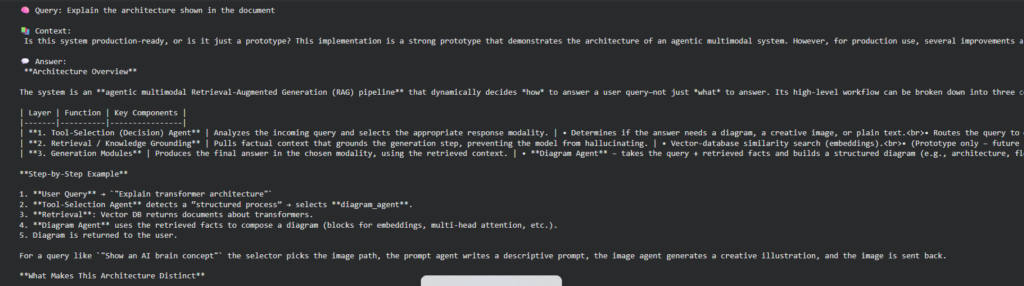
The reason behind the difference of this system.
The difference between this system and the system that ignores images is that images are regarded as first-class knowledge in this system, and not ignored as is the case with the other system. Rather than producing the random visuals, it reads the document and retrieves actual images; this way, the response will be grounded and accurate.
This renders the system much more useful in areas like research assistants, technical documentation and educational tools.
Conclusion
RAG is no longer all about text reading. As documents are complicated, systems have to change to accommodate various modalities in an efficient way.
Creating this system, you leave behind the simple implementations and enter the actual AI system design. You are not merely responding to questions- you are providing full-fledged responses full of context to encompass both text and graphics.
Popular Posts
- Build and Evaluate a RAG Pipeline with RAGAS, LangChain, FAISS, and Groq (Step-by-Step Guide)
- Loop Engineering Explained: From Prompt Engineering to Self-Prompting AI Agents
- Build Your First MCP Server with FastMCP: A Complete Python Tutorial
- MCP vs Function Calling: Key Differences Explained (2026)
- What Is Model Context Protocol (MCP) – A Complete Guide for AI Developers